 SiliconForge
Read verification evidence
Applies to SiliconForge 0.1.2 · Updated . Check platform limits.
Before this task: Confirm the tool required by the check →
Every check answers a bounded question about particular source bytes, configuration and tools. A previous pass is not a verdict on today's edit.
Define what must be true
Before running tools, write down the intended interface, reset behavior, legal inputs, throughput/latency requirements and failure behavior. Confirm the project root, top, parameters and tool authority. Decide which checks are required for the change; not every project has an application-specific assurance profile.
Run and inspect current checks
- Open Verify. Read Required checks and the profile verdict rather than interpreting one green row as full acceptance.
- Use Run missing checks for the current configured verification path, or the application menu's Run engineering checks. Inspect the resulting jobs and diagnostics.
- Confirm the returned source/configuration/profile bindings match your intended revision. A changed file, tool or parameter can invalidate old evidence.
- Open retained evidence by double-clicking or pressing Enter on an available artifact row. Check command, tool identity, exit status and actual output.
- Resolve failures and missing required results before approving a candidate. Preserve counterexamples and logs.
Expected result: a current bounded verdict with traceable artifacts, or visible missing/failed/blocked checks. “Not run,” “unavailable” and “skipped” are not passes.
Read a failing tool’s output
After a verification run completes, open Verify → Runs → View project output… or the same action in Jobs → Logs. Choose the check, then inspect both Output (stdout) and Errors (stderr); some tools write failure details to stdout. The viewer reads recorded logs without running checks again.
The window identifies the completed run. Its text does not change when you edit source or start another run, and it is not a current-readiness verdict. Large logs show a bounded final section with an explicit notice. Missing or unverifiable output is unavailable, not a pass. Recognized credentials are redacted, but review all logs for private project information before sharing them.
Application-specific assurance
Where an appropriate supported profile exists, select it under Application profile and use Run application checks. The native list includes Telemetry and Packet profiles. Read intended responsibilities, source-linked rationale, operating envelope, expected versus observed results, limitations and evidence—not only the acceptance label.
Do not select Telemetry simply because your own design also contains a FIFO. The profile evaluates its published contract and expected interface. A mismatch requires the correct candidate/profile pairing, not renaming arbitrary RTL until the selector accepts it. Qualification of a checker and evaluation of a candidate are different records.
Waveforms and other evidence
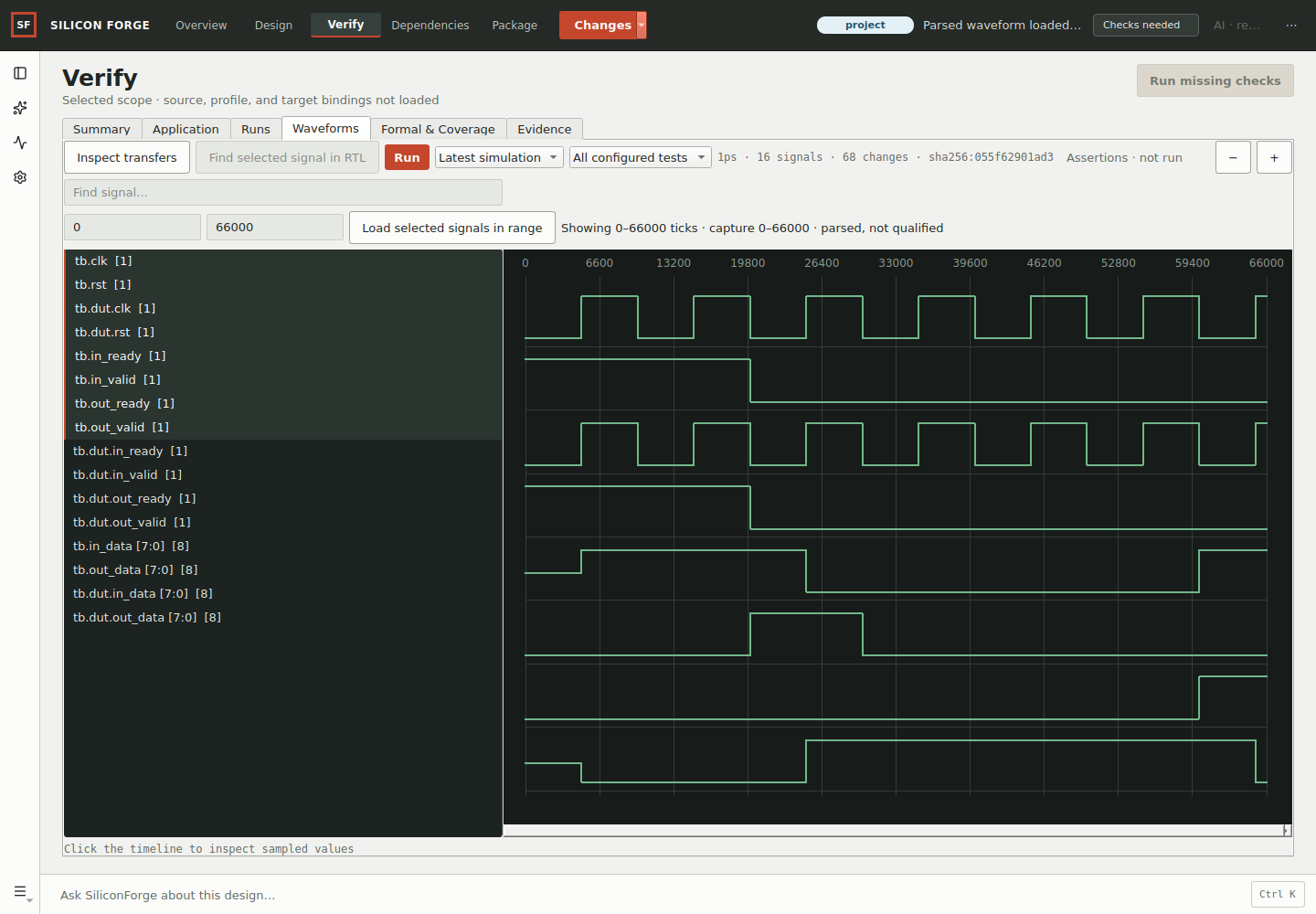
Start from the failed check's own trace. Confirm revision, scope, timescale and reset, then inspect a narrow time range. A trace from another candidate cannot explain the current failure. See simulation and waveform inspection for signal-window and testbench steps.
Interpret each result honestly
- Lint
- Static diagnostics under the selected configuration. No warnings does not prove functional correctness.
- Simulation
- Observed results for exercised stimulus. Ask which scenarios and parameter values remain untested.
- Formal
- Properties under stated assumptions, engine and proof mode. A bounded pass is not automatically an unbounded proof, and impossible assumptions can hide behavior.
- Synthesis
- A transformation into a netlist and reported resource metrics under specific settings. Generic cells are not FPGA LUTs, timing closure or measured power.
- Equivalence
- A relation between selected designs/interfaces under specified assumptions. Equivalent designs can share the same requirement defect.
Worked review: backpressure change
For a one-stage stream buffer, require reset to clear valid, output data to remain stable while valid and not-ready, and accepted data to appear once in order. Run the small worked testbench, then add longer traffic, reset during a stall and width variants. Compare behavior under the same stimuli before and after the change. One directed PASS is a useful start, not complete protocol coverage.
Leave enough information for a second engineer
Before handing over a change, record the following alongside your review. Use available identifiers from the actual run; do not invent IDs for a shell experiment or copy the identity of an older successful run.
Requirement being checked:
Source revision or exact saved input identity:
Top module, parameters, defines and source list:
Tool name/version and selected check/profile:
Command or application operation:
Exit status and expected versus observed result:
Diagnostic/trace location and failing interval, if any:
Scenarios not checked and decision still needed:
For the first-project shell exercise, the command, two unchanged source files, output and stream.vcd are useful reproducibility material. They are external evidence, not automatically a new Verify receipt. For a native retained run, inspect its actual metadata and artifacts instead of recreating a more flattering summary. Keep confidential sources and waveforms in the authorised project space.
Decide pass, repair or blocked
| What you observed | What it establishes | Next action |
|---|---|---|
| Expected PASS marker and exit status 0 for the original example | The documented directed scenarios passed for those inputs | Preserve the result; extend coverage required by the real design |
| Compile failed, but an old waveform is still on disk | No current simulation result | Correct the compile input/error and generate a new run; do not read old output as current proof |
| Reset or stall assertion fails | A reproducible mismatch against the example contract | Review the first failing condition, repair the RTL intentionally and rerun unchanged checks |
| Simulator unavailable or check skipped | Evidence missing | Resolve the qualified tool requirement or leave the acceptance decision blocked |
| Same run passed, but source/configuration later changed | A pass only for the original bound inputs | Run the affected checks on the intended new revision |
Use the intentional stall defect to practise diagnosis. Watch the product review walkthrough for the interface, and keep the written requirement—not the colour of a badge—as your decision reference.
When a check cannot finish
Distinguish missing tools, timeout, malformed inputs, checker error and a design counterexample. Keep the original failing receipt and use a fresh run after correction. Do not modify the assertion or acceptance threshold solely to turn a result green. If source changes during a run, keep the result attached to its original binding and rerun for the new one.
Related: proof and synthesis limits, application contracts, review and application, package evidence.
Read the candidate, not a previous project run
After candidate validation, use Recorded candidate output in its retained source comparison. The viewer binds the selected candidate, validation receipt and tool check; it never substitutes a previous project run. A later canonical check does not erase the candidate’s recorded logs. Reopened candidates resolve their exact retained validation, or explicitly report it unavailable. Integrity rows may have no tool output; select lint, compile, simulation or synthesis and inspect both streams.
After opening a saved proposal, its retained check rows are also shown in Jobs → Logs. The comparison’s Checks & results tab concerns baseline-versus-target evidence; an unevaluated comparison is not the same thing as the candidate’s recorded validation. When the comparison is bound to the candidate, its separate validation status and View recorded candidate output… action appear above the table; reading that output does not run checks or upgrade either comparison side. Inspect the selected candidate and its exact output rather than treating these different views as interchangeable.
Need help? Report an issue. Include your application version; never include credentials.