SiliconForge
Find the right scope
Select the intended top, sources, includes, defines and parameters. Elaboration diagnostics tell you what needs attention before the view is useful.
Product / Native RTL engineering
Move from a module you need to understand to a revision you can review. SiliconForge brings Verilog/SystemVerilog exploration, local Git history, supervised AI and engineering evidence into one Windows and Linux application.
01 / Get your bearings
You inherit a module, or return to one you have not touched in months. Open the project, select its top module and follow the hierarchy, ports and connections before making a change.
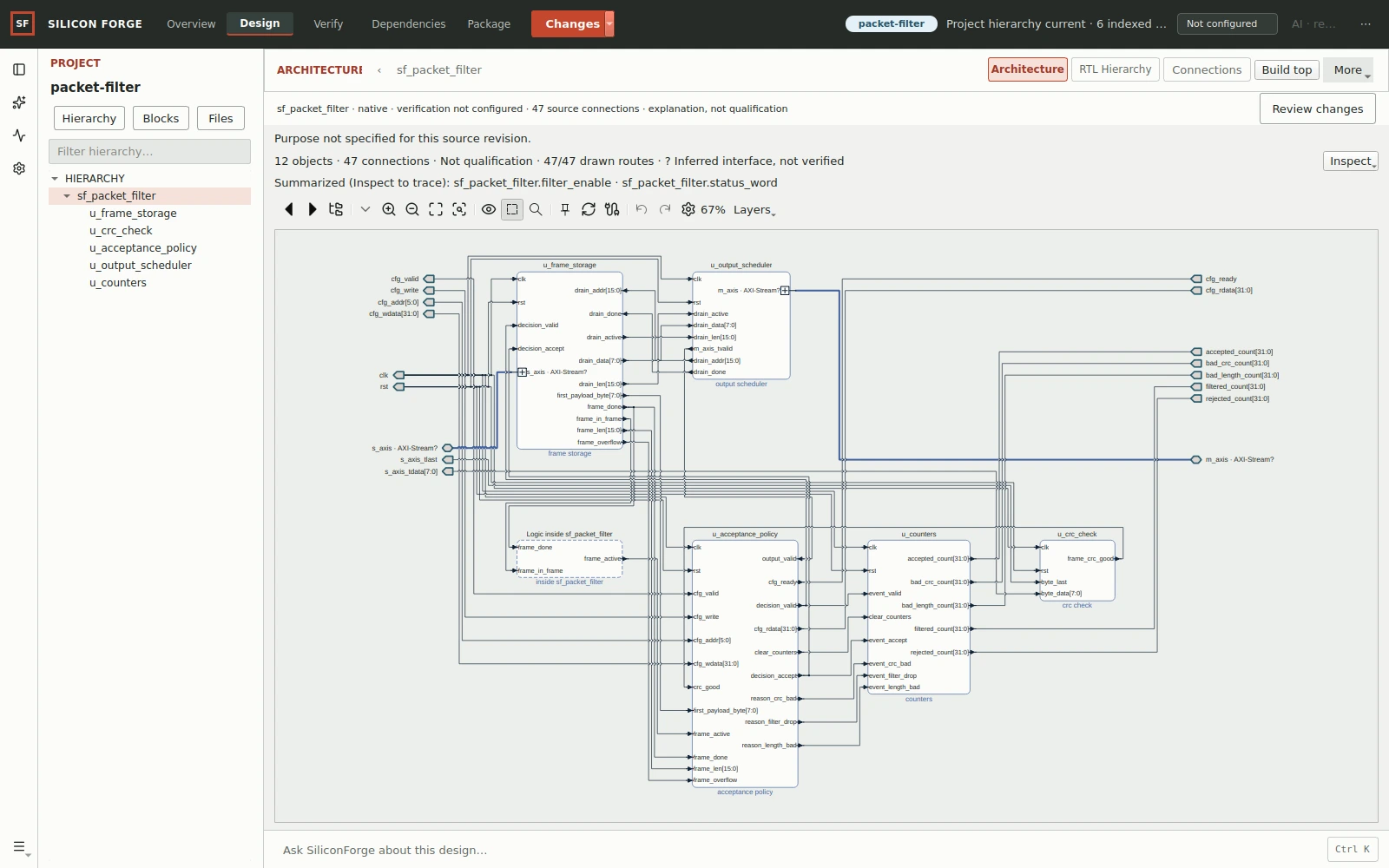
Inspect the full native architecture capture →A separate packet-filter project, with the connected modules visible at original resolution. The smaller stream-register exercise begins with one module, not this multi-block graph.
Select the intended top, sources, includes, defines and parameters. Elaboration diagnostics tell you what needs attention before the view is useful.
Inspect instances, ports and wiring. Follow the responsibilities of the producer, storage and consumer into the implementation.
Use architecture for orientation and RTL/source for detail. The two answer different parts of the same engineering question.
Navigate your first design → · Resolve tops, sources and includes →
02 / Review a revision
A changed line can alter an interface or a handshake. Use local Git history and hardware-aware comparisons to see the revision in its design context before committing to it.
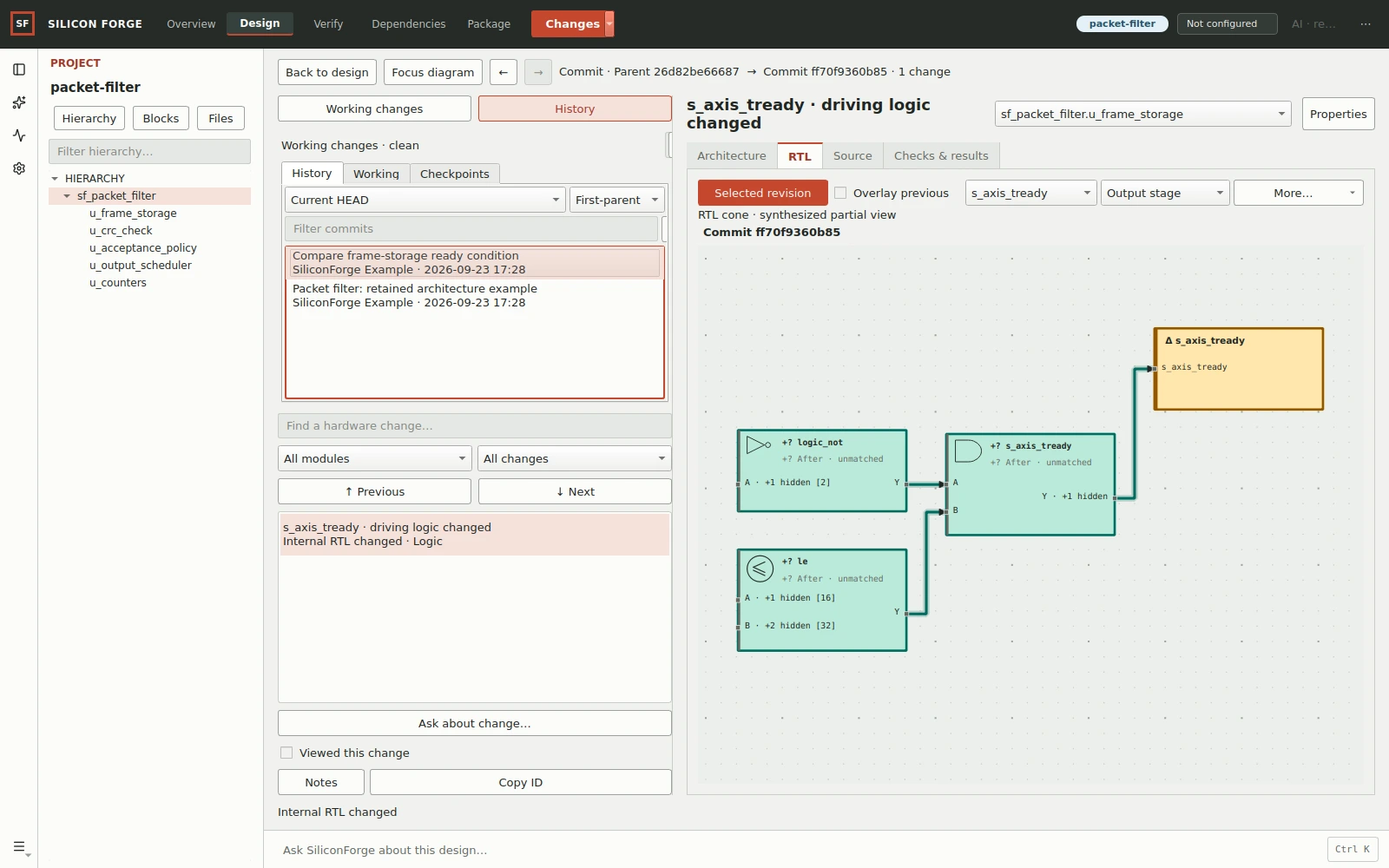
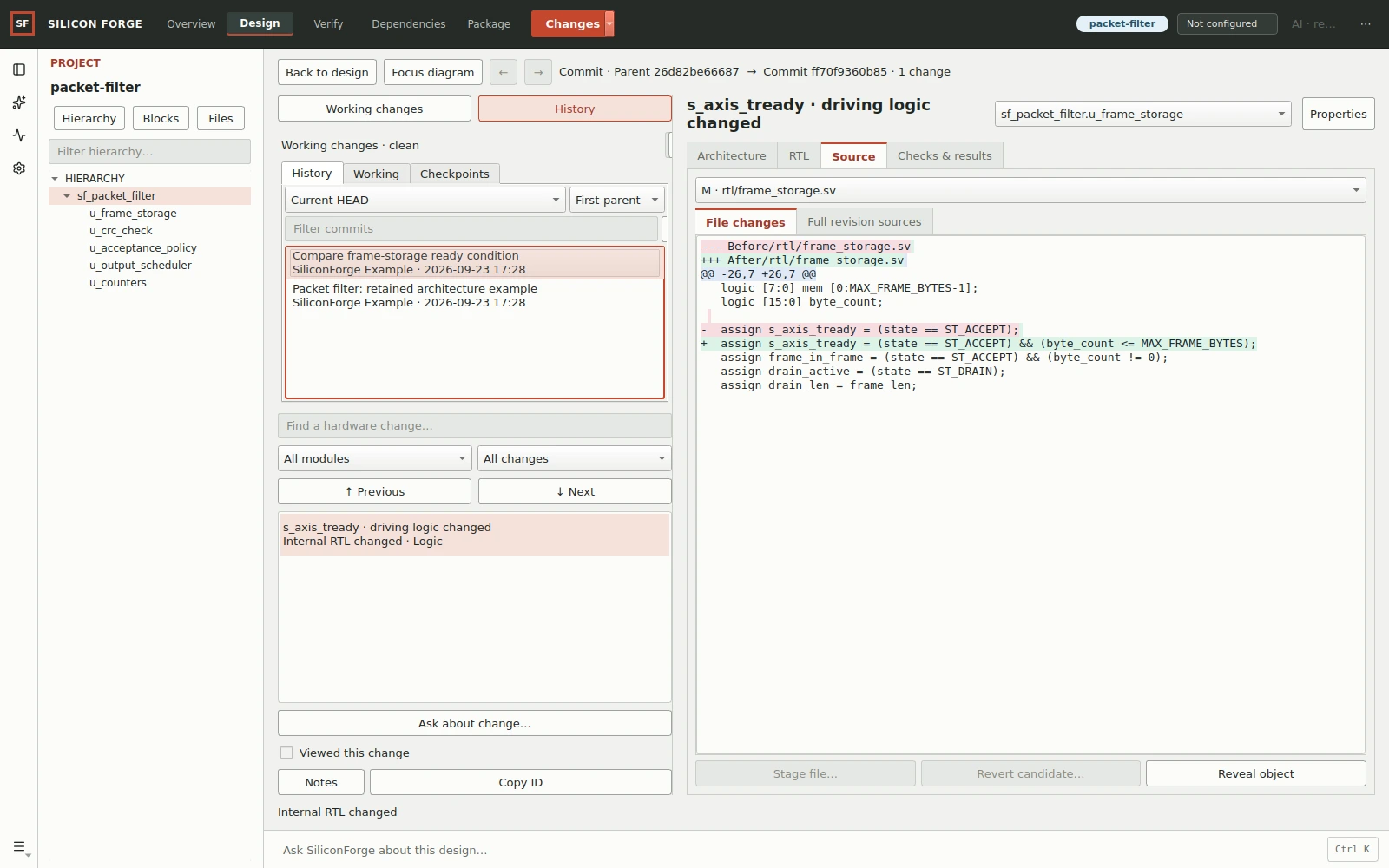
The selected before/after source versions change a ready-signal path in a retained local Git example. The source-derived partial cone helps explain that path; it is not a whole-design equivalence result.
Inspect the full native Git comparison →
To reproduce a smaller before/after exercise yourself, break and restore the stream-register reset. Keep that result separate from this packet-filter review.
Inspect status, stage or unstage files, commit changes and compare selected revisions. Keep the comparison's source labels visible.
Review modules, interfaces, connections and internal logic alongside the source diff. Added, removed and uncertain matches help direct your investigation.
Inspect an AI candidate against its baseline, then explicitly apply or reject it. Refresh stale comparisons rather than overwriting newer work.
Works alongside Git: use your existing Git tools for remote, hosting and conflict-resolution operations outside the documented native workflow. A structural match is not a proof of equivalent behavior.
Read the native version-control workflow → · Know which Git tool to use →
03 / Ask for a bounded change
Turn a requirement into an inspectable plan. Choose what context to share, approve the work and review the resulting candidate—not just the assistant's explanation.
Managed AI uses your plan's allowance. External-provider routes use separately configured accounts or an installed CLI, with their own costs and data handling.
04 / Inspect the evidence
Review outputs from the engineering tools configured on your machine. Tie each result to its source, configuration and tested question.
| Question | Evidence to inspect | Boundary |
|---|---|---|
| Does the source elaborate? | Top, source manifest, parameters and diagnostics | Not a behavioral test |
| Does this traffic behave as expected? | Testbench, assertions, logs and waveforms | Limited to the exercised scenarios |
| What logic does synthesis produce? | Tool/version, target and synthesis statistics | Not physical sign-off |
| Does this property hold? | Property, assumptions, engine and proof result | Limited to the stated model and assumptions |
Slang, Verilator, Icarus, Yosys, SymbiYosys, solvers and cocotb remain separately licensed tools. Available checks depend on your platform and configured toolchain.
SiliconForge is built for digital RTL/IP engineering. Full-chip autonomy, analog/PCB design and RTL-to-GDS are outside its scope.