 SiliconForge
Install SiliconForge
Choose your platform, verify the download and configure your tools.
Installation guide →SiliconForge · Windows & Linux
A native workspace for Verilog and SystemVerilog. Explore your design, review AI-proposed changes, and run your engineering tools in one place.
Linux AMD64 · Linux ARM64 · Windows x64 · First time here?
02 / Review the change
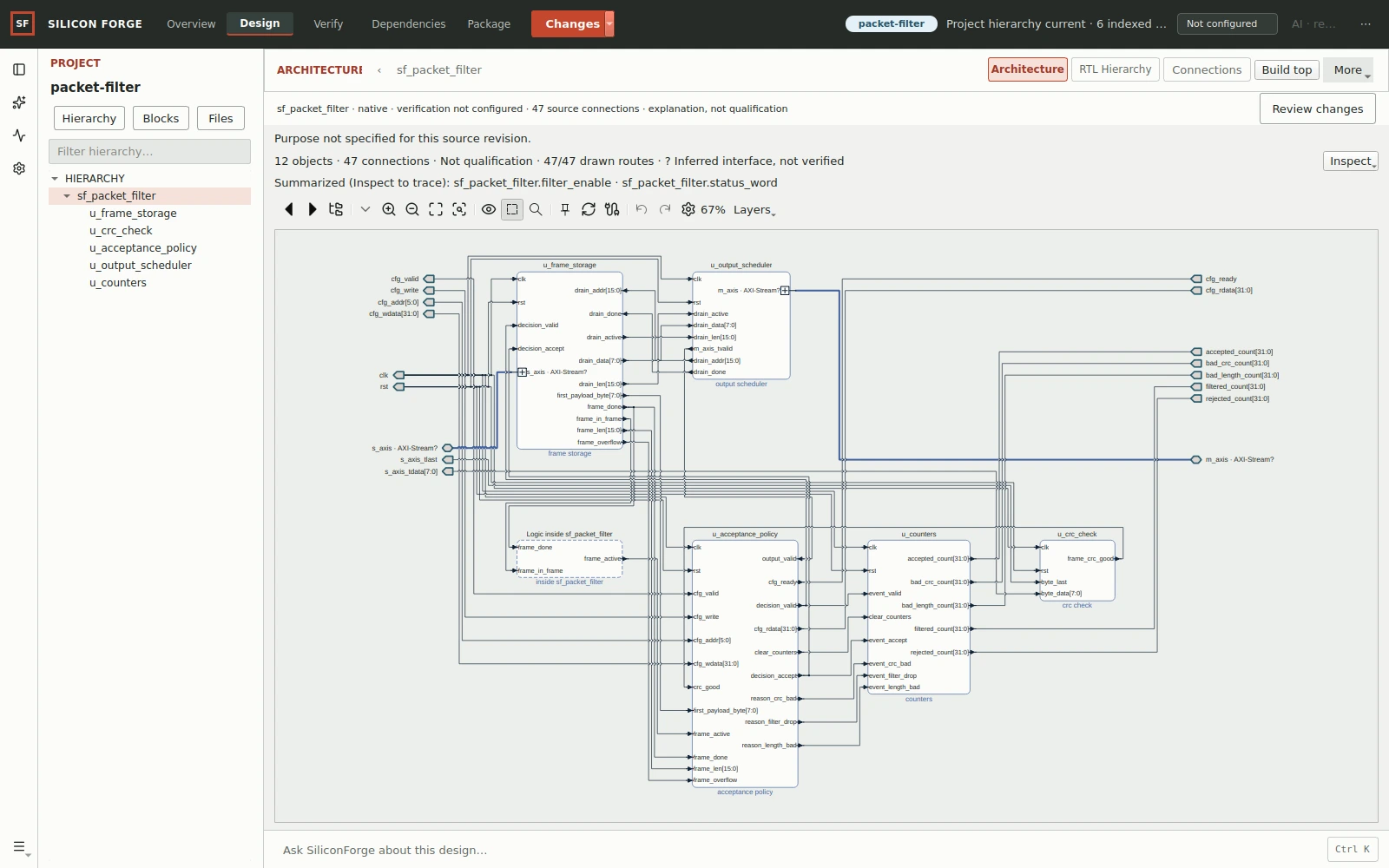
Compare source revisions alongside the RTL they describe. Trace a changed signal to its driving logic without losing the project context.
This packet-filter capture shows a source relationship, not behavioral equivalence or a passing verification result.
Explore hardware-aware review →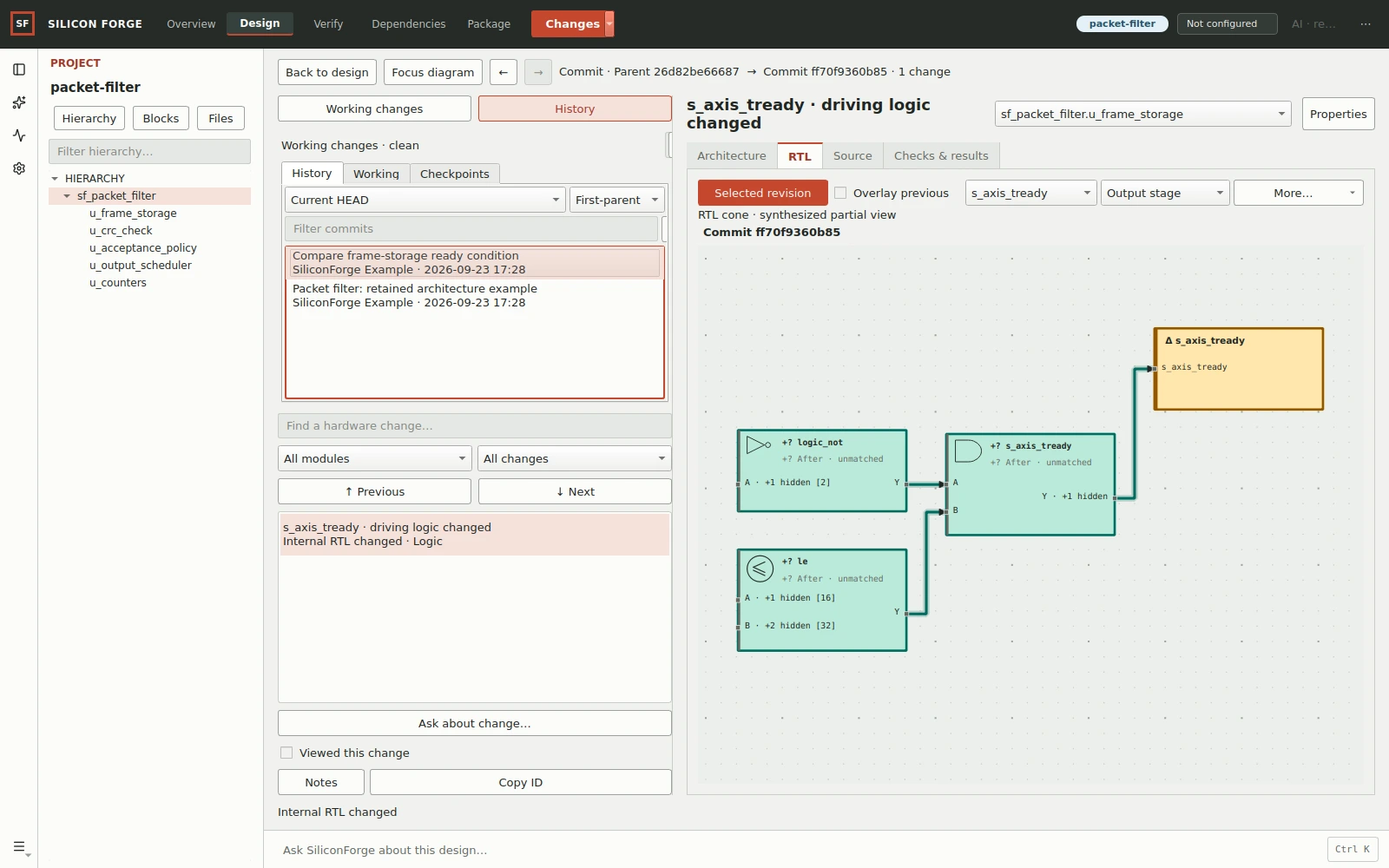
03 / Inspect the evidence
Run your configured HDL tools and inspect logs, source and waveforms. Keep the result attached to the design and inputs that produced it.
How RTL verification works →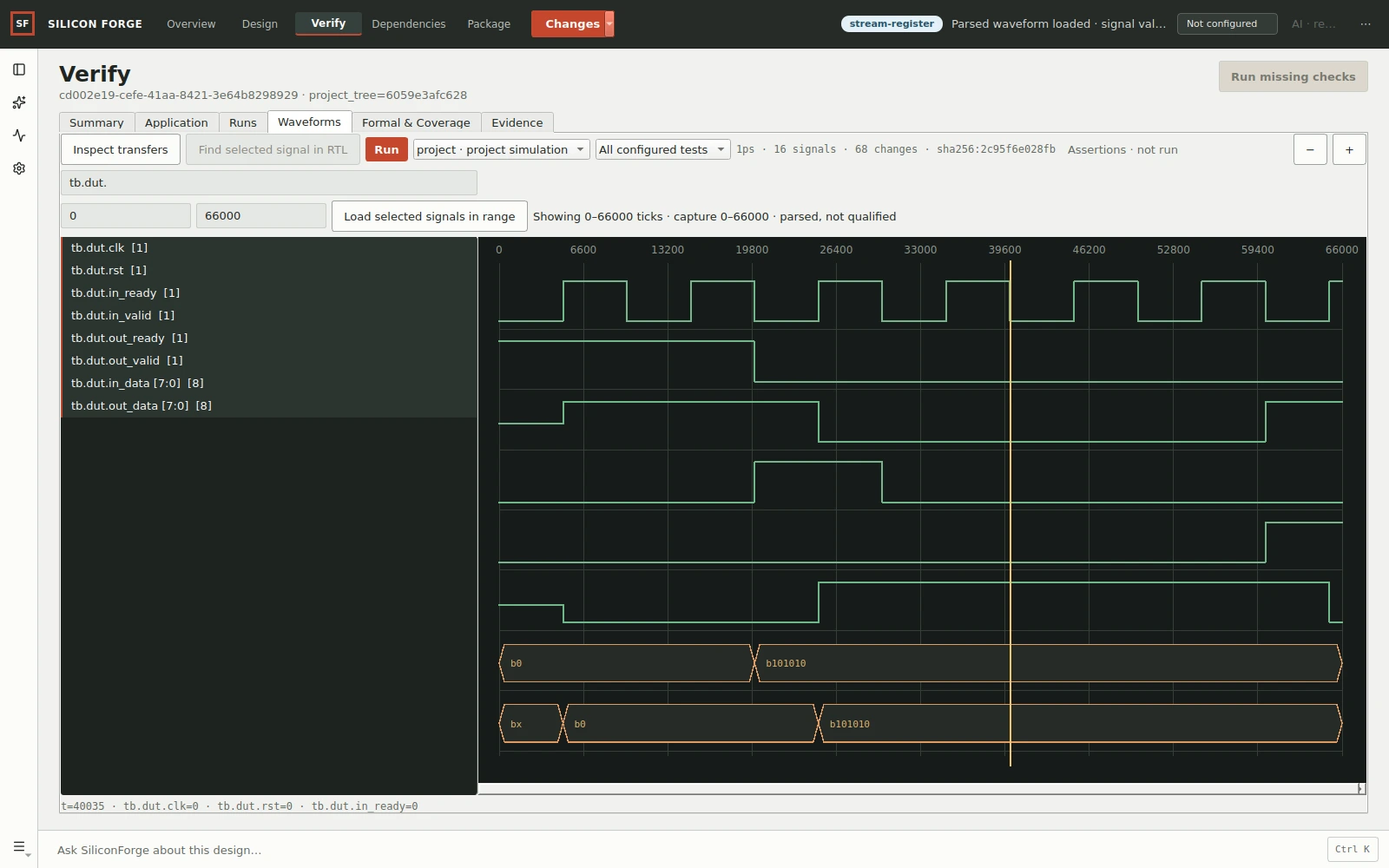
A controlled AI workflow
Ask about the design, review the proposed scope, then decide what runs. Inspect the candidate before applying it to your project.
Start with a question about your RTL and the context you choose to share.
Review the proposed files, work and checks before execution.
Inspect the isolated candidate and results from configured tools.
Accept or reject the change. Resolve stale project state before applying.
Recorded in the native application
Ask, plan, approve, execute and review. See the source and engineering checks—not a simulated product interface.
Watch the complete demonstration →Try it with a real design
Start with the self-contained stream-register example: source, testbench and expected results. Then deliberately break it to see how a failing check is reported.
Choose your platform, verify the download and configure your tools.
Installation guide →Load the design through the GUI and run its assertion-based simulation.
First-project guide →The separate packet-filter tour shows revision history and source-derived RTL. Its complete source bundle is not included.
Examples and walkthroughs →Digital RTL/IP engineering—not analog, PCB design or physical chip sign-off. External HDL tools are separate dependencies. Platform and tool compatibility →
SiliconForge for Windows and Linux
Download the native application or review the plans and AI options first.