SiliconForge
1. Orient in the architecture
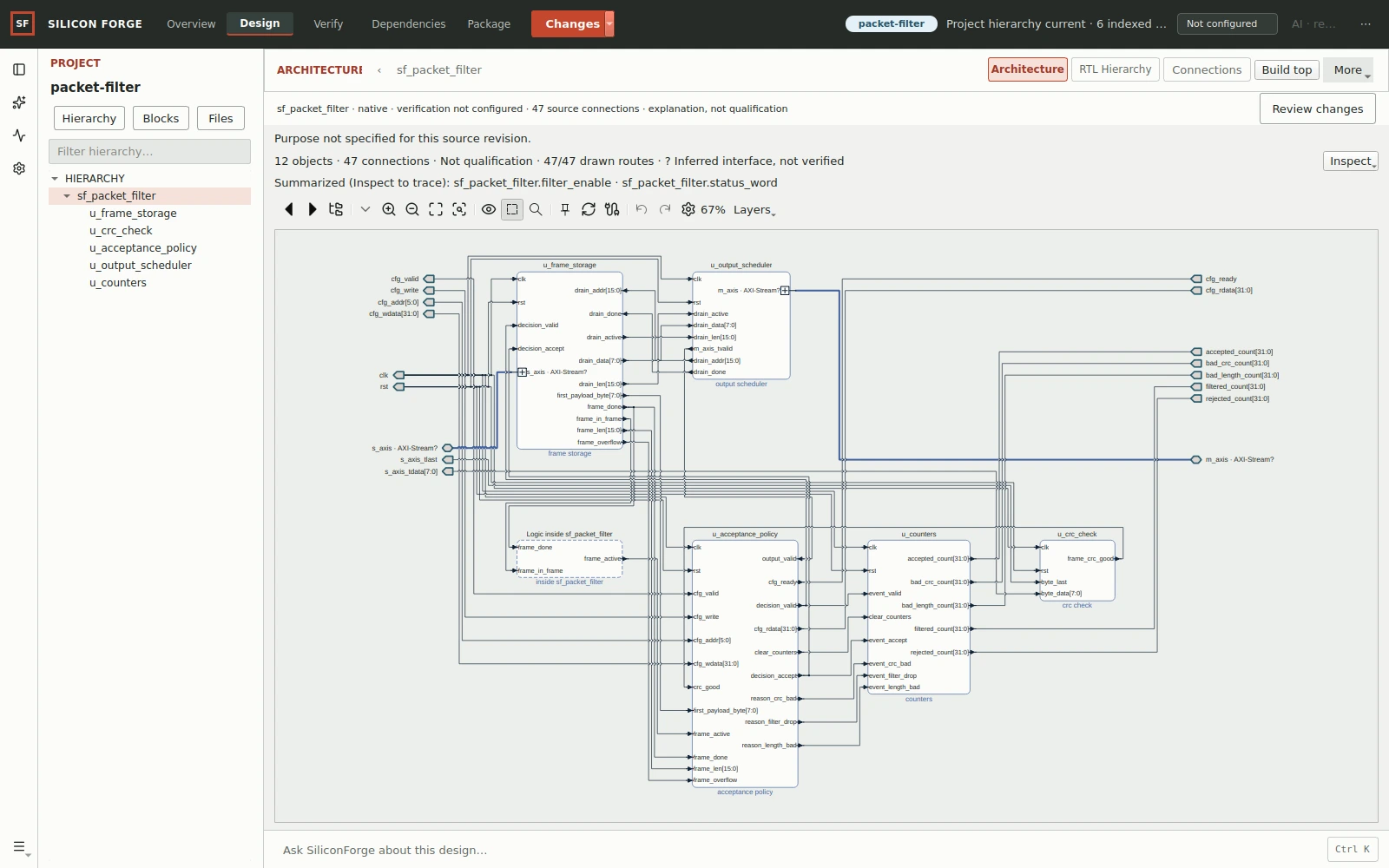
Start with the retained packet-filter example. Modules and connections help you find the logic you want to inspect; a diagram alone does not establish correct behavior.
Watch / A real native workflow
Ask the assistant. Review a two-file plan. Approve execution, compare the candidate, run checks, and choose when to apply.
1 min 50 sec · Original score · English captions · Choose when to play
Genuine native footage, not an illustrated AI conversation. SiliconForge 0.1.1 preview · Personal Codex · Original-speed excerpts.
Recorded in SiliconForge 0.1.1 preview on a native Linux ARM64 desktop using a personal Codex subscription and nonbillable owner QA access. This is not a customer purchase or proof of included managed-AI availability. The two chronological recordings show the same app conversation. Excerpts play at original speed with waiting removed; this is not a speed benchmark. Optional formal and coverage checks were not run. The 16-bit test uses 0x002a, so it is not an exhaustive parameter or upper-bit test.
Chapter links pause at the selected moment. Use the player controls for captions, sound and fullscreen. UI close-ups retain the recorded pixels; no app text or result is repainted. Native review workflow · Native Git boundaries.
Download MP4 · Download WebM · English captions · Plain-text transcript
Read instead
A ready/valid stream register gains a WIDTH parameter, with an 8-bit default and a 16-bit testbench instance. The original project stays unchanged until the final native Apply action.
The recorded candidate passed lint, compilation, simulation and synthesis. Human review is still necessary: the small test does not prove all widths or every possible input. The support question also demonstrates the assistant checking available tools and giving the support-form fallback without pretending the mailbox has been verified.
Download the timestamped transcript · Try the first-project guide
At your pace / Guided recorded example
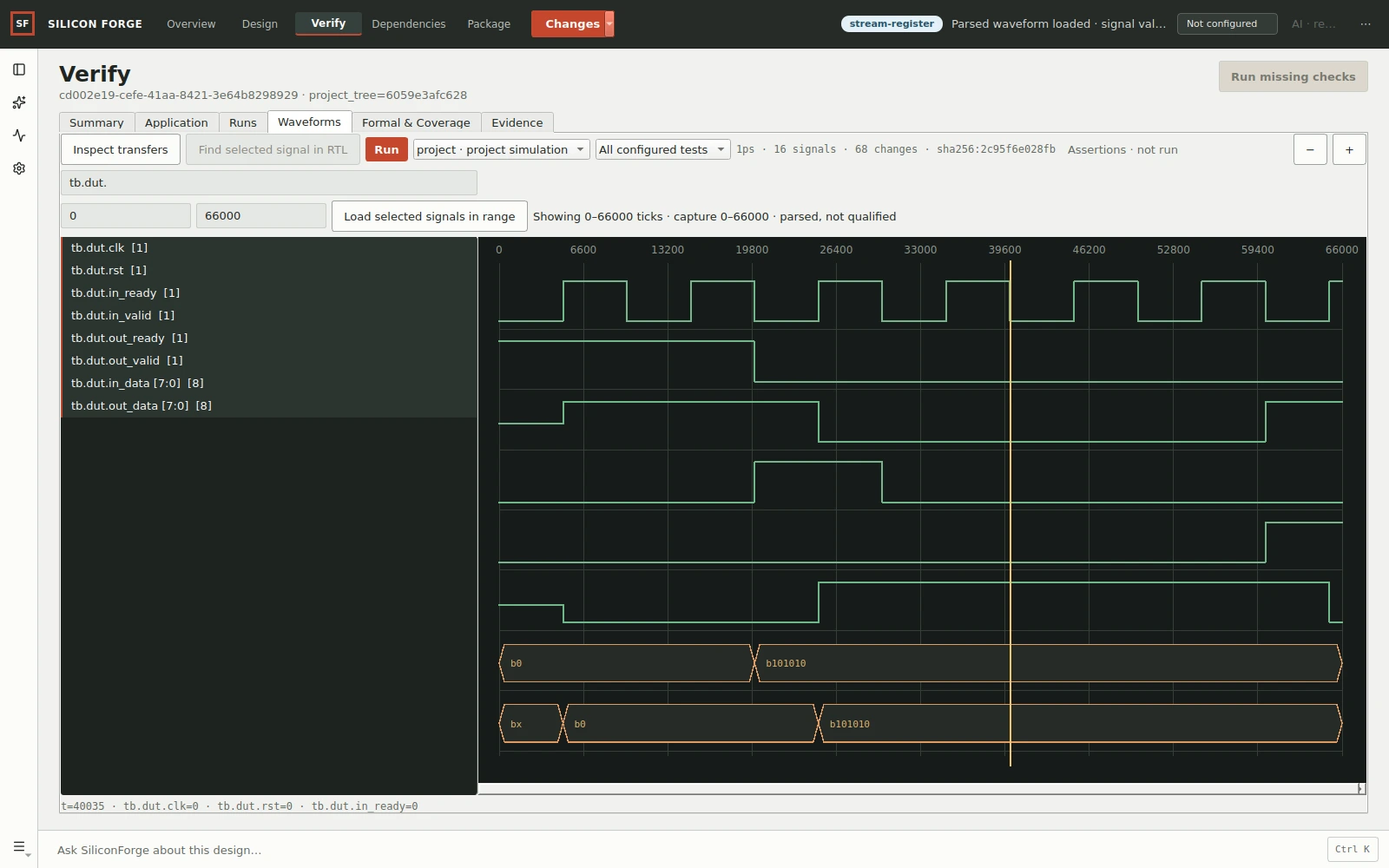
These older packet-filter and waveform examples are separate from the parameter-width change in the main recording. Original uncut history recording · Earlier edited history tour · Earlier tour captions. In that earlier tour, a 13.5-second wait is omitted and a readable source diff is not shown in this recording. No engineering result is changed.
These are genuine stills from the native capture session, not a runnable browser application. Step through them to understand what each view can—and cannot—tell you.
Start with the retained packet-filter example. Modules and connections help you find the logic you want to inspect; a diagram alone does not establish correct behavior.
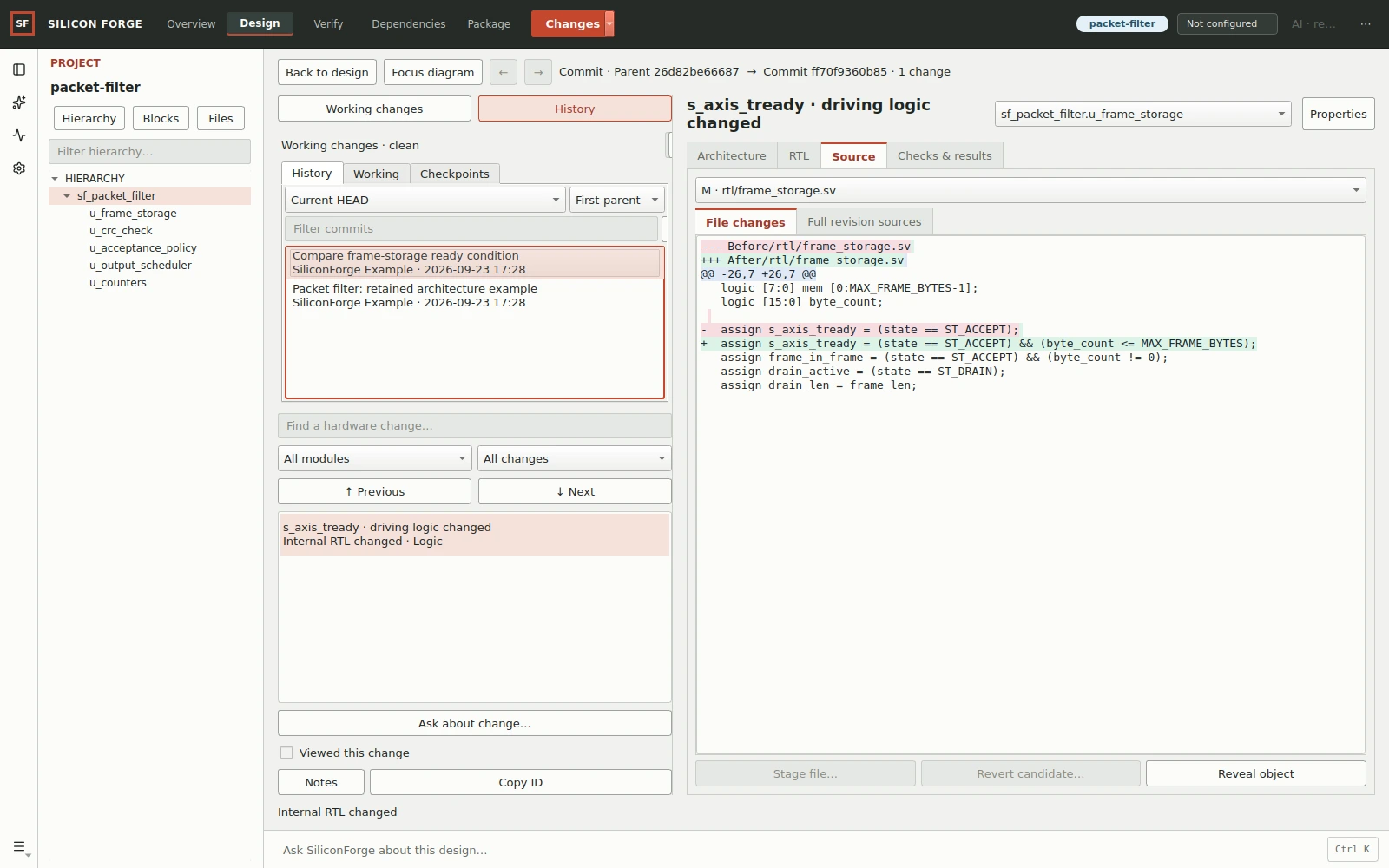
Changes → History keeps the actual local commit and its source difference together. Inspect the ready-condition change in frame_storage.sv; selecting a history entry does not change HEAD.
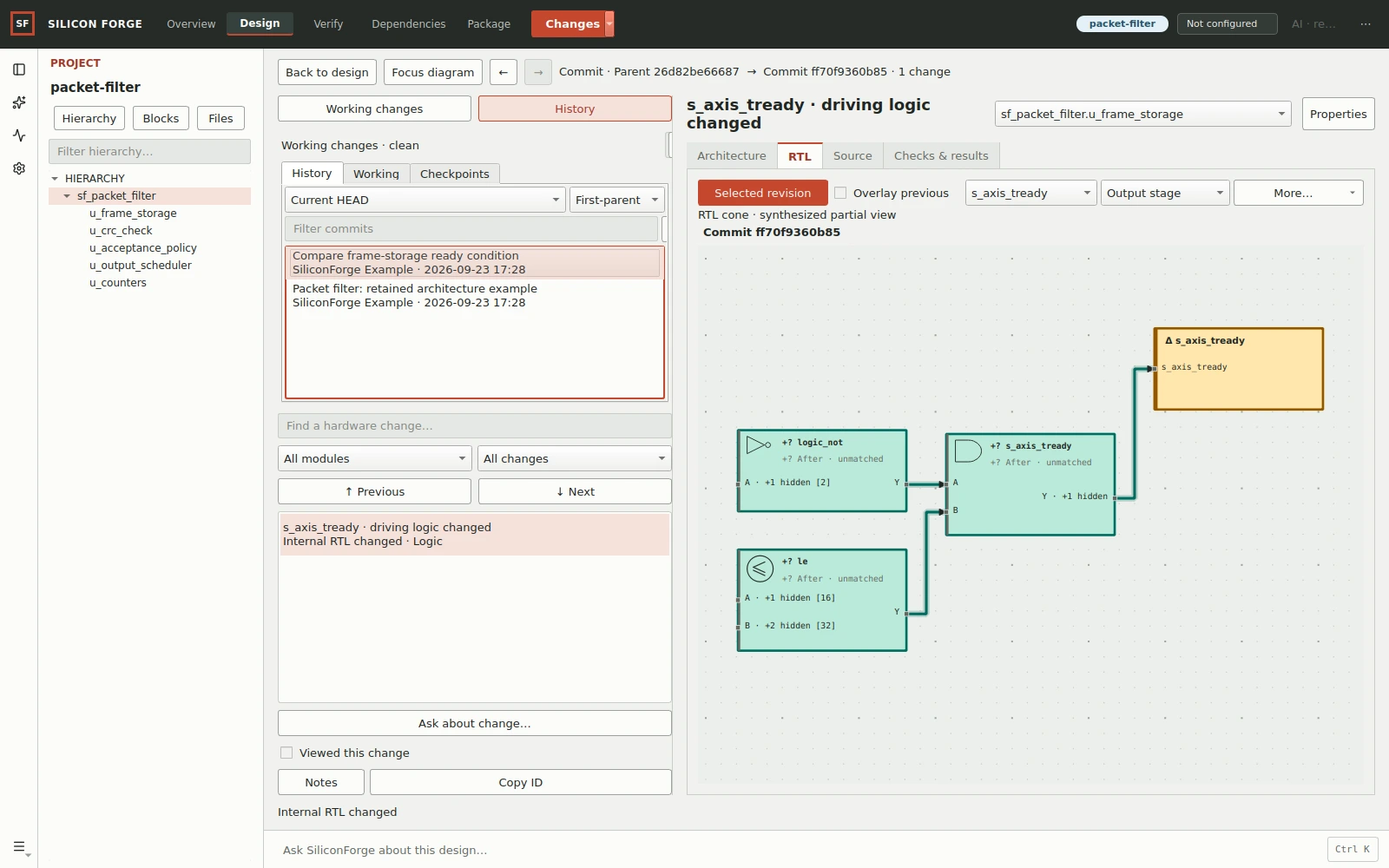
Inspect the source-derived synthesized view around the selected ready signal. Its revision label and scope controls matter: this is a partial cone, not the entire design or functional-equivalence proof.
The recording’s Checks & results screen reports Not evaluated for baseline and target, and Unknown for the difference. A comparison is not a simulation result or proof of equivalence.
Inspect the recorded evidence screen at 00:30 or read the revision-review guide.
Run the relevant checks against the intended sources, inspect their diagnostics and review the retained results. Do not substitute a screenshot or an AI explanation for those results.
The stream-register exercise runs a small assertion-based testbench and opens its waveform. This is a different project; it does not verify the packet revision above.